
How to Tell If a Used Power Tool Is Worth Buying
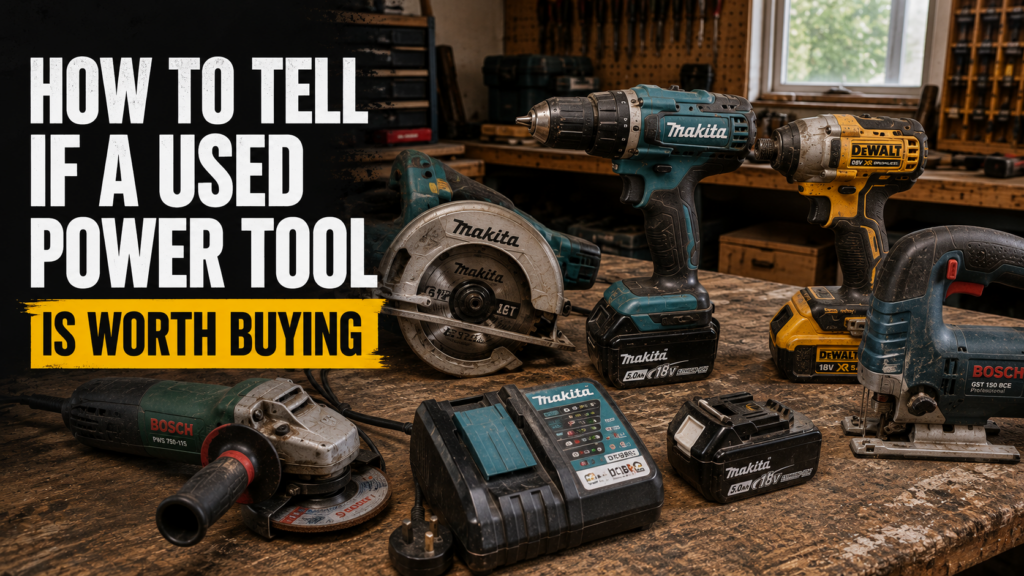
Buying used power tools can save you money, especially when you need reliable equipment without paying the full retail price.
A well-maintained used drill, saw, sander, or grinder may still have years of service left. A poorly maintained tool can cost more in repairs than you saved on the purchase.
Before handing over your money, inspect the tool carefully and test it whenever possible.
This guide explains what to check when buying used power tools and how to spot problems before they become expensive.
Start With the Make and Model
Check the exact brand and model number before inspecting anything else.
Established trade brands usually have better access to replacement parts, batteries, chargers, blades, and accessories. Common brands found in the UK include Makita, DeWalt, Milwaukee, Bosch Professional, Festool, Hikoki, Hilti, and Metabo.
Search the model number to check:
The original product specifications.
The correct voltage.
Which batteries and chargers it requires.
Whether replacement parts are still available.
The usual used selling price.
The age of the model.
Do not rely on the tool’s colour or shape alone. Tools from the same manufacturer can use different battery systems that are not compatible.
Check the Overall Condition
A used power tool does not need to look new, but its condition should match the seller’s description.
Normal signs of use include light scratches, surface marks, dust, and faded labels.
More serious damage may include:
Cracked casings.
Loose handles.
Missing screws.
Broken vents.
Bent guards.
Damaged battery connections.
Heavy corrosion.
Signs of water damage.
Burn marks.
A cracked casing can affect the tool’s safety and may allow dust or moisture to reach internal components.
Check that all handles, covers, guards, and adjustment parts feel secure.
Inspect the Power Cable and Plug
For corded tools, examine the entire cable from the tool body to the plug.
Look for:
Cuts or splits in the cable.
Exposed wires.
Crushed sections.
Electrical tape covering repairs.
Loose cable entry points.
Burn marks around the plug.
Bent or damaged plug pins.
A damaged cable should not be ignored. Replacing a cable may be possible, but the repair cost should be included when deciding what the tool is worth.
Check that the tool has a suitable UK plug. Imported or converted tools may require extra care before use.
Check the Battery Connections
For cordless tools, remove the battery and inspect the connection points.
The terminals should be clean, straight, and free from heavy corrosion or burn marks.
Check that the battery slides into place properly and locks securely. A loose battery connection can cause intermittent power or complete loss of operation.
Also inspect the tool’s voltage label.
An 18V tool needs a compatible 18V battery from the correct battery platform. Do not assume batteries from the same brand will fit every tool made by that manufacturer.
Test the Battery
A cordless tool may appear cheap because the included battery is worn out.
Ask the seller to charge the battery fully before you test it.
Run the tool for several minutes and check whether the power drops quickly. A healthy battery should deliver steady performance rather than slowing down after a few seconds.
Look for:
Cracks in the battery casing.
Swelling or distortion.
Burn marks around the terminals.
Loose internal parts.
Excessive heat during light use.
A battery that becomes very hot, loses power quickly, or fails to charge may need replacing.
Check the cost of a replacement battery before agreeing to buy the tool. In some cases, the battery can cost as much as the used tool itself.
Check the Charger
If a charger is included, confirm that it matches the battery platform.
Insert the battery and check that the charging lights behave normally. Listen for unusual buzzing and check for excessive heat or a burning smell.
Inspect the charger cable, plug, casing, and battery slot.
A damaged charger can be unsafe and should not be treated as a free extra.
Listen to the Motor
Run the tool without applying a heavy load.
The motor should sound smooth and consistent.
Warning signs include:
Grinding noises.
Rattling.
High-pitched squealing.
Uneven speed.
Sudden power loss.
Excessive sparking.
A strong burning smell.
A small amount of visible sparking may occur on some brushed motors. Heavy or continuous sparking can indicate worn brushes, a damaged armature, or another internal fault.
Switch the tool off immediately if it produces smoke or a strong electrical burning smell.
Test the Trigger and Speed Controls
Press and release the trigger several times.
The tool should start smoothly and stop when the trigger is released. Variable-speed triggers should respond as you increase or reduce pressure.
Check every available control, including:
Forward and reverse selection.
Speed settings.
Torque settings.
Hammer mode.
Electronic brakes.
Lock-on switches.
Safety switches.
Work lights.
A sticking trigger or unreliable switch may require repair.
Check for Excessive Vibration
Some vibration is normal, especially with grinders, reciprocating saws, SDS drills, and demolition tools.
The tool should not shake violently during normal operation.
Excessive vibration may indicate:
A bent shaft.
Worn bearings.
A damaged blade or disc.
Loose internal components.
A damaged chuck.
Incorrectly fitted accessories.
Whenever possible, test the tool with a suitable blade, bit, disc, or accessory fitted correctly.
Inspect the Chuck, Blade Holder, or Spindle
The part that holds the accessory receives heavy use and can be expensive to repair.
For drills, check that the chuck opens and closes smoothly. Insert a straight drill bit and run the tool at low speed. The bit should rotate without noticeable wobble.
For saws, check the blade holder, guard, base plate, and adjustment controls.
For grinders, inspect the spindle, locking button, guard, and flange.
For multi-tools and sanders, confirm that accessories fit securely and do not come loose during use.
Check the Bearings
Worn bearings often cause grinding, rumbling, wobbling, or excessive vibration.
With the tool switched off and disconnected from power, gently move the chuck, spindle, or blade holder from side to side.
A small amount of movement may be normal on some tools. Obvious looseness can indicate worn parts.
Run the tool and listen as it slows down. Rough noises during deceleration may point to bearing wear.
Look Inside the Vents
Use a torch to inspect the cooling vents without opening the tool.
Heavy dust, metal filings, oil, or debris may indicate poor maintenance.
Metal dust is especially concerning because it can damage electrical components.
Blocked vents can cause overheating. Check whether the tool becomes unusually hot during a short test.
Do not insert objects into the vents or touch internal parts.
Check for Missing Parts
Confirm exactly what is included in the sale.
Depending on the tool, missing items may include:
Battery.
Charger.
Side handle.
Blade guard.
Depth stop.
Dust bag.
Fence.
Spanner.
Case.
Chuck key.
Tool inserts.
Missing safety parts, such as blade guards or auxiliary handles, should be taken seriously.
Some accessories are cheap to replace. Brand-specific guards, cases, batteries, chargers, and adjustment parts can be expensive or difficult to find.
Confirm the Voltage
UK power tools may be supplied in several voltages.
Common examples include:
12V cordless tools.
18V cordless tools.
36V or twin 18V cordless tools.
40V cordless tools.
54V cordless tools.
110V corded tools.
240V corded tools.
A 110V site tool usually needs a suitable transformer. It cannot be used directly from a standard UK household socket.
Check the rating plate before buying. Never rely only on the plug colour or the seller’s description.
Ask How the Tool Was Used
The tool’s history can help you judge its condition.
Useful questions include:
How old is the tool?
Was it used for DIY or professional work?
Why is it being sold?
Has it ever been repaired?
Has the motor or gearbox been replaced?
How long does the battery last?
Are there any faults?
Is anything missing?
Has it been stored somewhere dry?
A seller who gives clear and consistent answers is easier to assess than someone who avoids basic questions.
Check the Serial Number and Ownership
Be cautious if the serial number has been removed, scratched away, or covered.
Ask for proof of purchase when buying expensive tools.
You should also be cautious when:
The price is unusually low.
The seller has many tools but cannot explain where they came from.
The seller refuses to provide basic information.
The tool markings appear deliberately removed.
The seller pressures you to pay immediately.
Do not buy a tool if you have concerns about its ownership.
Compare the Price With the Condition
A used tool is only good value when the price reflects its age, condition, included items, and likely repair costs.
Compare the asking price with:
The current new price.
Other used examples of the same model.
The cost of replacement batteries.
The cost of missing accessories.
The cost of likely repairs.
The remaining warranty, if any.
For example, a cordless drill priced at £45 may appear cheap. If it needs a £50 battery and a £25 charger, buying a complete working kit may offer better value.
Test the Tool Under Light Load
A tool may sound normal while running freely but fail when it has to perform a task.
When it is safe and the seller agrees, test it under a light working load.
You could:
Drill into a scrap piece of timber.
Drive several screws.
Make a short cut in suitable material.
Sand a small timber surface.
Run a grinder with a correctly fitted disc.
The tool should maintain steady power without stopping, overheating, or producing unusual noises.
Wear suitable protective equipment and follow the manufacturer’s operating instructions.
Signs You Should Walk Away
Do not buy the tool when you find serious faults that the seller did not disclose.
Warning signs include:
Smoke or a burning smell.
Heavy sparking.
Cracked battery packs.
Exposed electrical wires.
Missing safety guards.
A trigger that sticks.
Severe motor noise.
Major spindle or chuck movement.
Signs of water damage.
Removed serial numbers.
A seller who refuses reasonable testing.
A tool that stops under light load.
Unless you are specifically buying a tool for spares or repairs, these problems usually make the purchase too risky.
Is Buying Used Power Tools Worth It?
Buying used power tools can be worthwhile when you inspect them properly.
You can often find older professional tools that still perform well and cost much less than newer models.
Focus on the tool’s actual condition rather than appearance alone. Scratches may only be cosmetic, while a clean-looking tool could still have a worn motor, damaged battery, or internal fault.
Check the model, test every function, inspect the safety parts, and include replacement costs in your decision.
A Quick Used Power Tool Checklist
Before buying, check:
The correct make and model.
The voltage and battery platform.
The casing and handles.
The cable and plug.
The battery and charger.
The trigger and controls.
The motor sound.
The chuck, blade holder, or spindle.
The guards and safety features.
Any missing parts.
The serial number.
The price of repairs or replacements.
The tool under a light working load.
If the seller will not allow you to complete basic checks, consider buying elsewhere.
Sell Your Used Power Tools to SellToolsOnline
Have power tools you no longer use?
SellToolsOnline buys used power tools from customers across the UK.
Send us clear photos, model numbers, details of the condition, and information about any batteries, chargers, cases, or accessories included.
We will assess the tools and provide an offer. Insured postage or collection may be available.
Turn your unwanted tools into cash and clear space in your garage, workshop, or van.